# Getting Started

## Visit Site

Go to [https://hallsofolympia.io/#](https://hallsofolympia.io) and click on d'App button shown below

<figure><img src="https://519157955-files.gitbook.io/~/files/v0/b/gitbook-x-prod.appspot.com/o/spaces%2FXGzo6RA2iLOgdreYHfns%2Fuploads%2FtU3A5CA7RV21A0FuYjo7%2FOpen%20d&#x27;App.jpg?alt=media&#x26;token=e4a553fd-caee-4ed3-8eda-d9ac0777a6d3" alt=""><figcaption></figcaption></figure>

or visit [Https://alpha-testnet.hallsofolympia.io](https://alpha-testnet.hallsofolympia.io) and wait for the page to load.

## Link Wallet

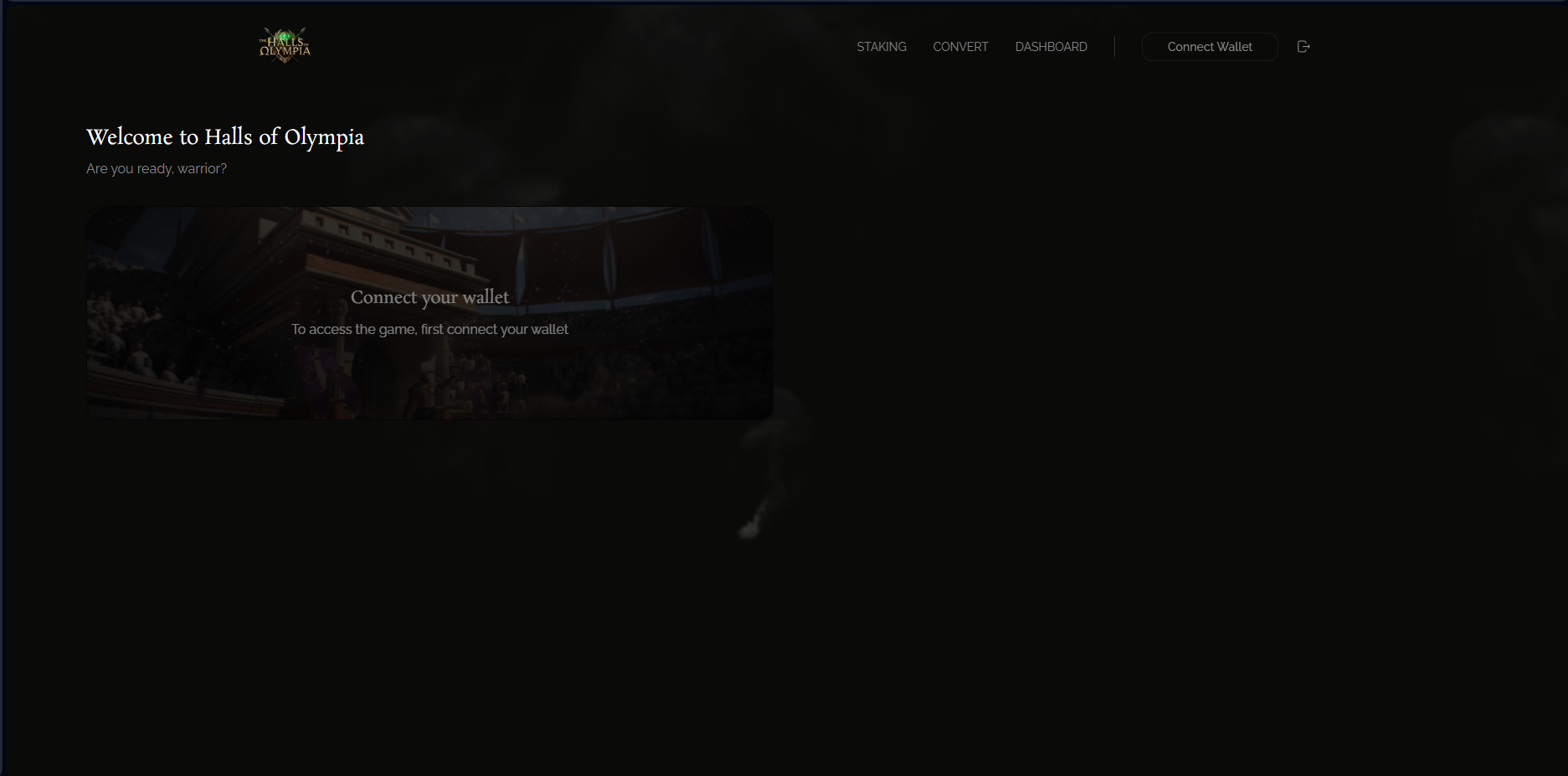
<figure><img src="https://519157955-files.gitbook.io/~/files/v0/b/gitbook-x-prod.appspot.com/o/spaces%2FXGzo6RA2iLOgdreYHfns%2Fuploads%2F3c9mRDt1SeUcPYmkDH4h%2Fimage.png?alt=media&#x26;token=4d00ad78-0f83-48f2-8753-aa6fee3448d2" alt=""><figcaption></figcaption></figure>

Click on the "Connect Wallet" button in the top right corner of the screen

This will open several options for supported wallet types&#x20;

Log in to your wallet when prompted to connect the wallet to Hallf of Olympia

## Play Game

<figure><img src="https://519157955-files.gitbook.io/~/files/v0/b/gitbook-x-prod.appspot.com/o/spaces%2FXGzo6RA2iLOgdreYHfns%2Fuploads%2FyqkRlerRuBUjizu7Zw89%2FLinked%20Wallet.jpg?alt=media&#x26;token=d455ded6-4542-47f9-8bc9-2552438c05d5" alt=""><figcaption></figcaption></figure>

Once your wallet is connected you can now click on Play Game&#x20;

### Enter Stake

<figure><img src="https://519157955-files.gitbook.io/~/files/v0/b/gitbook-x-prod.appspot.com/o/spaces%2FXGzo6RA2iLOgdreYHfns%2Fuploads%2FOUz8ZpJWbJf7v2NQKjRb%2Fimage.png?alt=media&#x26;token=84477718-fa07-4acc-ac64-62b1a889903a" alt=""><figcaption></figcaption></figure>

Now enter the amount you want to stake in either $AMBR or $USDC and take a front row seat in the arena as your Gladiator fights their opponent.